notion2md
notion2md is a github action workflow to conver Notion Database to Markdown file automatically. feel free to use it on your blog or anywhere you want.
Screenshots
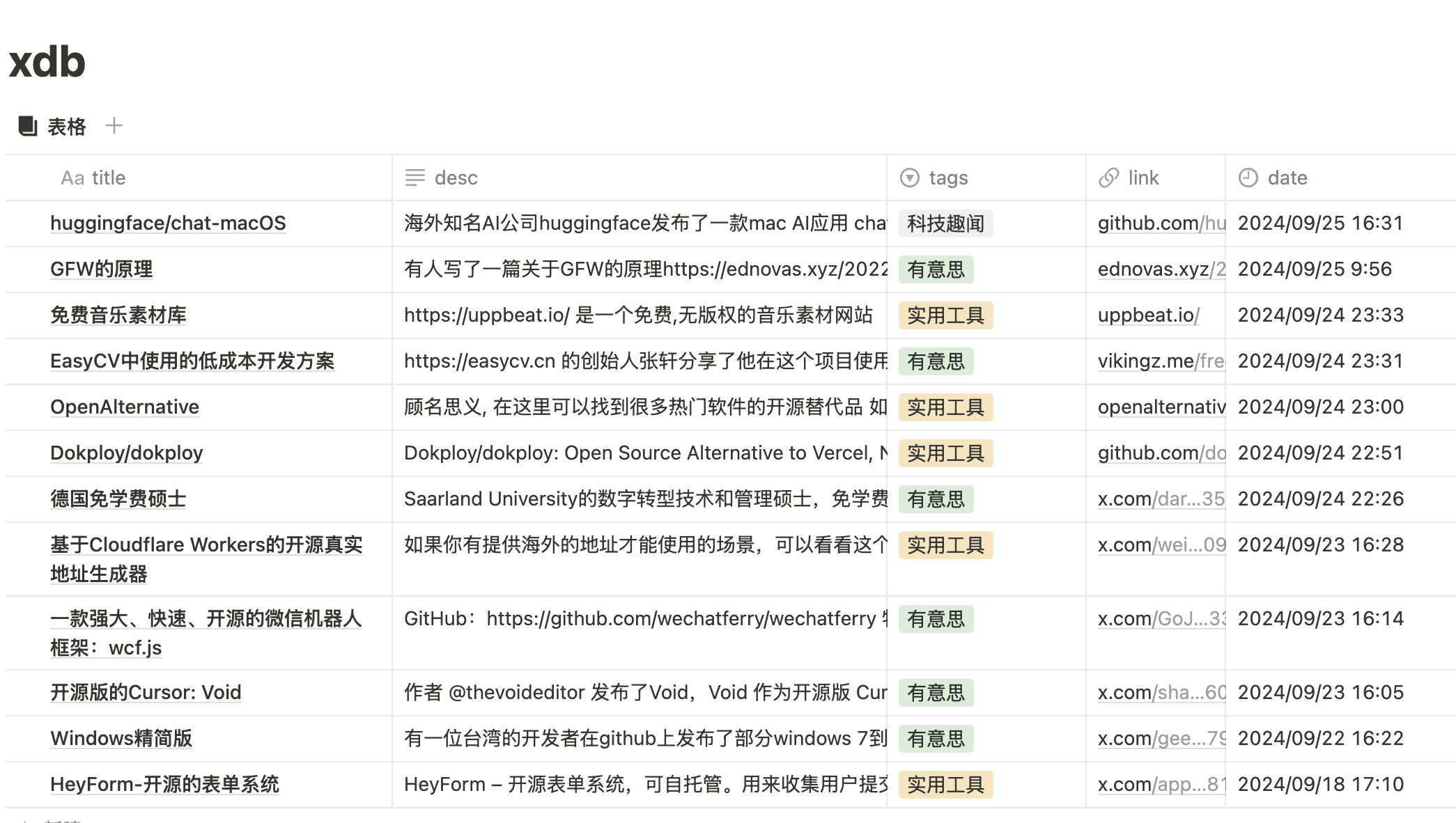 notion database
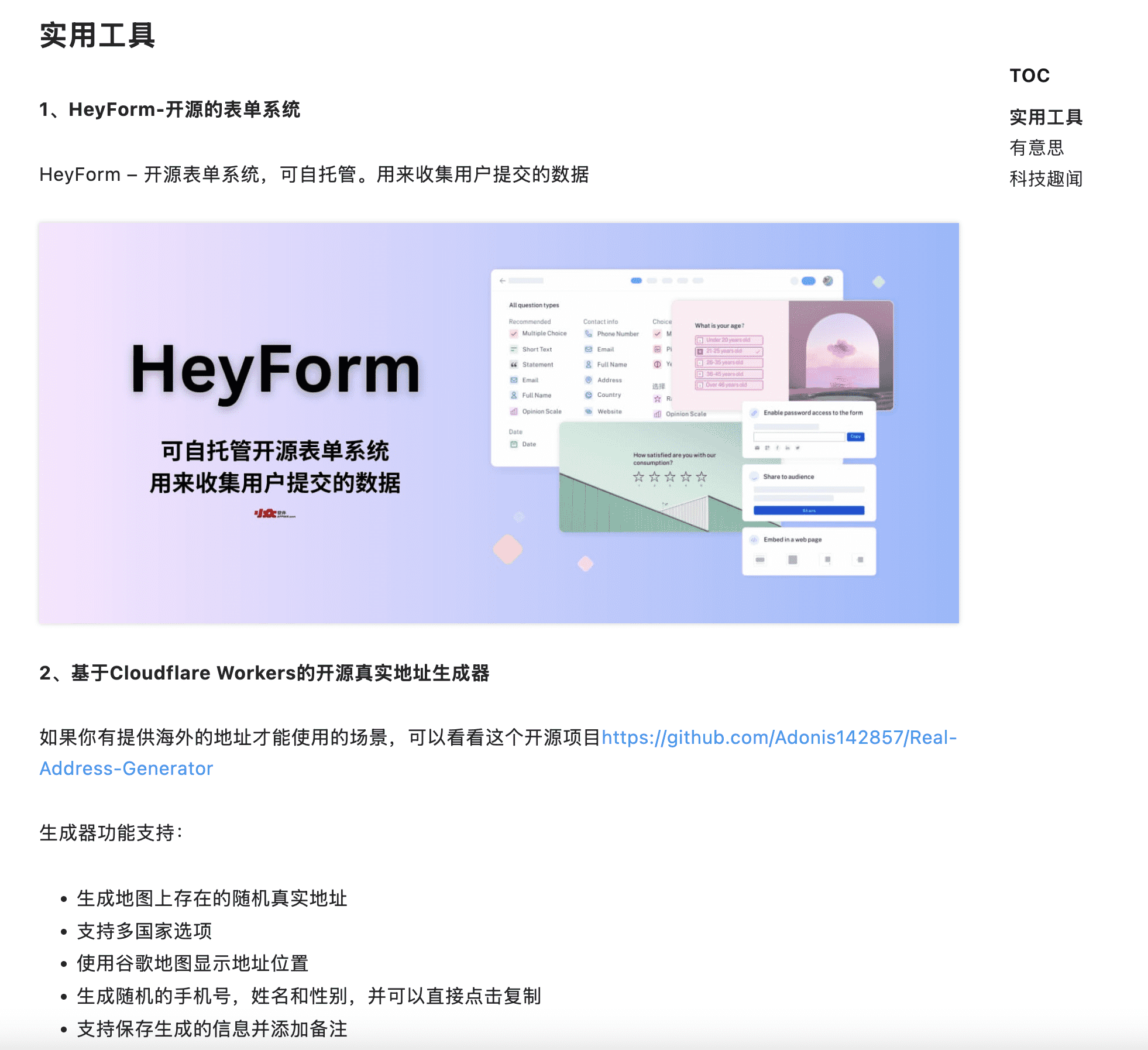 markdown file
Requirements
1. create a notion database
you can simply duplicate this demo db as a template
2. get notion token and database id
- go to https://www.notion.so/profile/integrations to get notion token
- db id like : 【10ae95237d4b8023add0d42c858d464f】 in demo db url
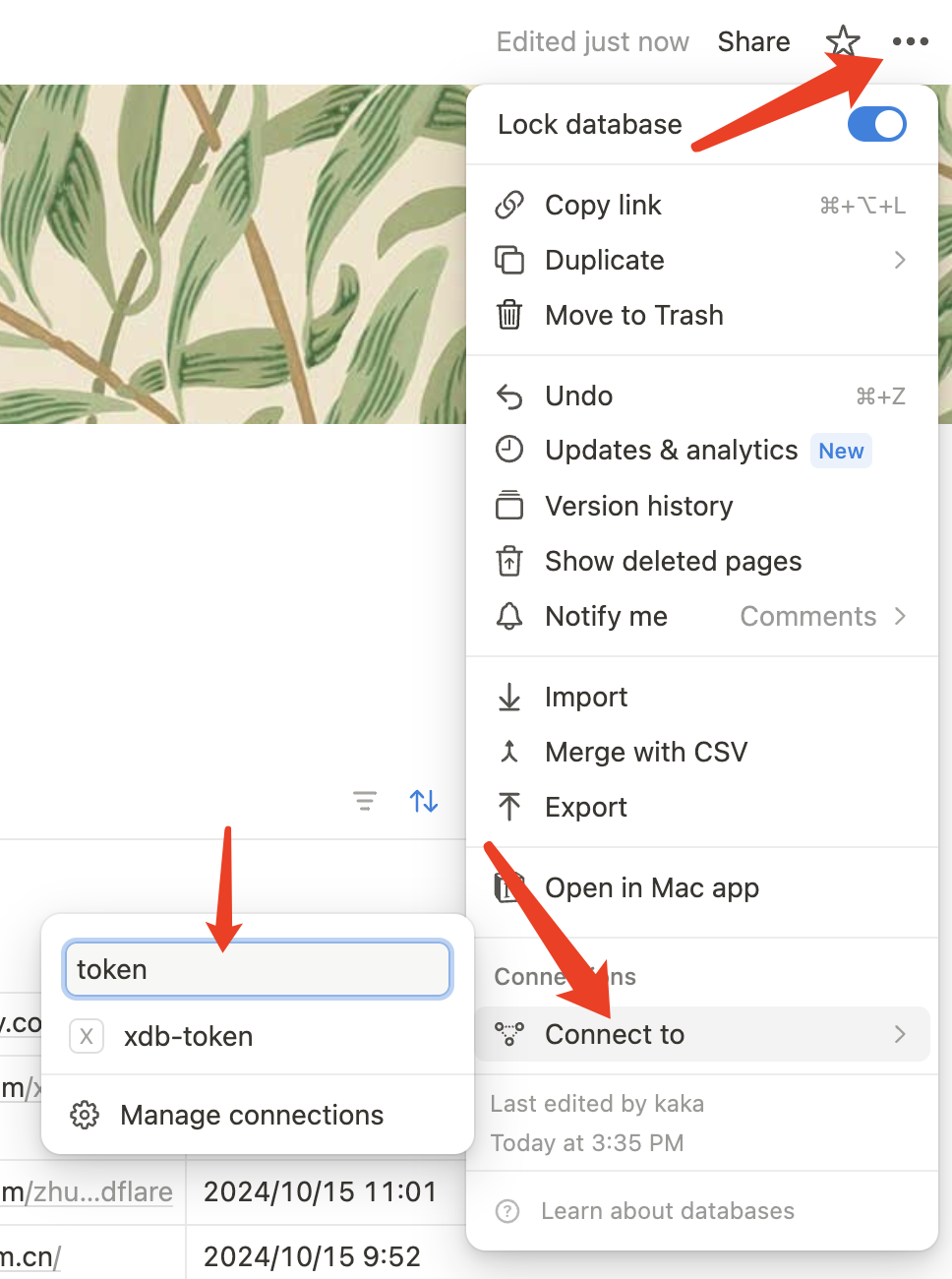
- token connection
3. fork this repo & create github tokens
- click to fork this repo
- github token: Settings -> Secrets and variables -> Actions -> New repository secret
- fill your NOTION_DATABASE_ID and NOTION_TOKEN according to the values that you get from your notion
Local try
create .env file like below once you have cloned the repo on your local machine
# .env file on the root directory
NOTION_TOKEN=your_token
NOTION_DATABASE_ID=your_db_id
// set CONFIG as below in `.github/workflows/notion2md.js` if you want
const CONFIG ={  //default values
  days: 7,
  dir:'./posts',
  filename:'weekly news'
}
 # then run the dev command
 npm i
 npm run dev
How to collect
- install save-to-notion to your browser
- then select the notion database you created
- fill the form and click save